My PRO Editor · AI video editing course
Your Own Pro Video Editor Is a Few Prompts Away
For creators who can record but get stuck editing: 4 videos ready to post in 5 hours of lessons, no editor and no code.
US$15.99 (about the price of a pizza) • 15-day money-back guarantee
Intro video · coming soon
- Content
- 34 Lessons
- Runtime
- 5 h 40 min
- Deliverables
- 4 videos
- Your 1st Video
- in 30 min
- Runs on
- Mac and Windows
You won't need these anymore
 US$22.99/mo
 US$19.99/mo
 Free
 US$9.99/mo
 US$22.99/mo
 US$12.99/mo
 US$29.99
 US$49.99/yr
 US$295
You Can Already Record. The Trouble Starts After
Hours dragging clips on a timeline, captions landing on your face, and a “make me a nice video” that comes back looking like AI, with the text cut off at the edge.
3 of the 10 defects from lesson 6.2, and the request that fixes each one
You Direct, AI Edits
You approve each step before the AI moves on.
-
Checkpoint 1
Brief
The AI asks what's missing before it starts.
documento-do-projeto.md
- Format
- 9:16 · 1080 × 1920
- Length
- 20 to 25 s
- Where
- Reels, TikTok and Shorts
- For whom
- Ages 20 to 30, salary gone before the month ends
- Don't want
- "Hey guys", get-rich promises, pie charts
-
Checkpoint 2
Look
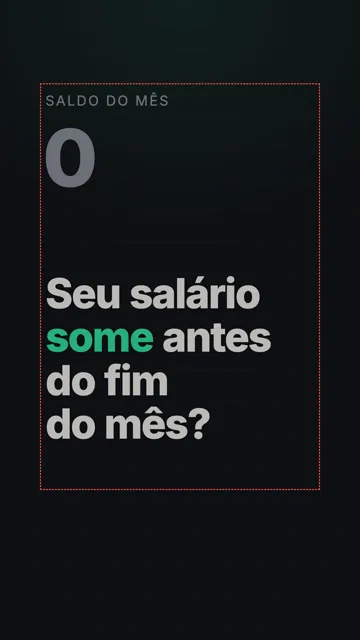
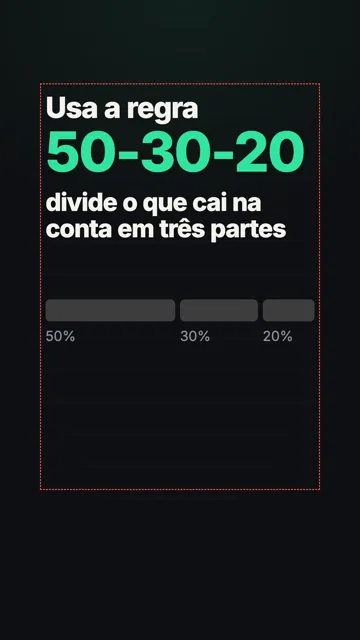
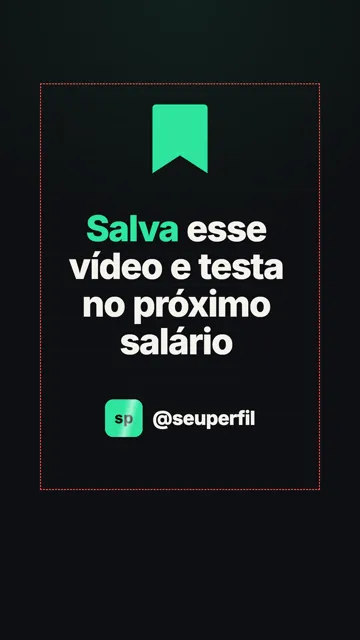
Your references become 3 approved frames.
references/ · 3 frames approved
-
Checkpoint 3
Script and Audio
Voiceover first, so each word lands the moment it's spoken.
audio/narracao.mp3 · 27,7 s
- Hook · 0 to 2.9 sDoes your salary vanish before the month ends?
- Body · 2.9 to 24 sThe rule, its three parts and an example with 3,000
- Call to action · 24 to 27 sSave this video and try it on your next paycheck
-
Checkpoint 4
Scenes
The first 10 seconds lock the style. Then one scene at a time.
7 scenes · one at a time
- 1Monthly balance dropping to zero, and the hook
- 2"Use the 50-30-20 rule" and the bar splitting
- 350% for what you must pay
- 430% for what you want
- 520% for your future
- 6"Earned 3,000?" and the amounts counting up
- 7Save icon and call to action
YouThe ending feels static.
ClaudeDone: a line now runs under the @.
-
Checkpoint 5
Delivery
Length, resolution and loudness checked before the final file.
entregas/
p1-regra-50-30-20-v2.mp4
QA passed · v1 → v2 only adjusted loudness
- Length
- 28.5 s
- Resolution
- 1080 × 1920
- Frame rate
- 30 fps
- Loudness
- −14.1 LUFS
- Render
- 27 s
YouApproved. Go ahead and render.
ClaudeDone in 27 s. Loudness was −16.7 LUFS: I fixed it to −14.1 without rendering again.
You learn the path, not a pile of prompts. When the tools change, the path stays the same.
Want this same path for your next video?
US$15.99 (about the price of a pizza) • 15-day money-back guarantee
This Course Is Its Own Case Study
Made with My PRO Editorv1
- The P1 at the top of this page
- The course lessons
- This course's ads
- This page
Four Videos of Your Own, Ready to Post
-
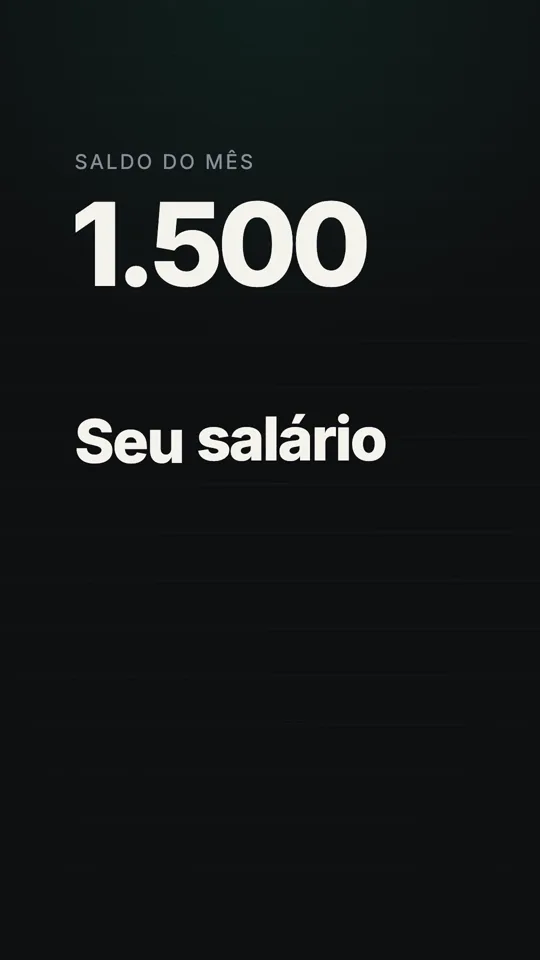
P1 · from the course
Motion Graphic with Voiceover
No need to be on camera. It's the video at the top.
-
P2 · storyboard
Edited Talking-Head Video
Cuts, pacing, captions and music.
-
P3 · storyboard
Hybrid
You on camera, the animation showing the numbers.
-
P4 · storyboard
Versions and Formats
3 hooks and the same video in 9:16, 16:9 and 1:1.
What Almost Every Tutorial Skips
Most AI editing content shows the finished video. Here you also see:
The render on screen, checking resolution, sound and length
What each video cost in Claude usage, measured
A full module on what goes wrong: the 10 most common defects and the request that fixes each one
The hybrid video made from start to finish
Every request from the course in a library you can copy
Short lessons with the waiting cut out
What others skip is a lesson here.
US$15.99 (about the price of a pizza) • 15-day money-back guarantee
What's in the Course
5 h 40 min across 34 lessons. Tap a module to see its lessons.
- 0.1What you'll make3 min
- 1.1Three ways to make video with AI5 min
- 1.2Getting to know Claude8 min
- 1.3Setting up your computer10 min
- 1.4Your first video6 min
- 2.1The method on one page6 min
- 2.2Checkpoint 1: brief and script12 min
- 2.3Checkpoint 2: look14 min
- 2.4Checkpoint 3: voiceover10 min
- 2.5Checkpoint 4: scene by scene13 min
- 2.6Checkpoint 5: delivery10 min
- 2.7What it cost and how to spend less6 min
- 3.1Recording with AI editing in mind8 min
- 3.2Rough cut: removing only the mistakes10 min
- 3.3Pauses and pacing8 min
- 3.4Captions that stay out of the way10 min
- 3.5Inserts, b-roll and motion over video12 min
- 3.6Sound: music, effects and loudness10 min
- 3.7Scene-by-scene review and render12 min
- 4.1When to generate images21 min
- 4.2Avatars and voice clones: what works and the limits13 min
- 4.3A hybrid project from start to finish20 min
- 4.4Original soundtrack with Gemini12 min
- 5.1One video, several versions10 min
- 5.2One project, several formats10 min
- 5.3Starting from a ready-made prompt or a reference8 min
- 6.1What happens underneath5 min
- 6.2The 10 most common defects and the request that fixes each one12 min
- 6.3Fixing without starting over8 min
- 6.4QA checklist before delivery8 min
- 7.1What a skill is8 min
- 7.2The same video with and without skills12 min
- 7.3Create your brand skill12 min
- 7.4My skills: Skills Pack, Lifetime Skills and newsletter8 min
- B.1Briefing a client8 min
- B.2What to charge10 min
- B.3Rights and responsibility10 min
- B.4Portfolio8 min
Who It's For
Content Creators
Reels, TikToks and Shorts every week, without editing all night.
Brands and Professionals
Videos of your product, service or behind the scenes, in your brand's look.
Course Sellers
Lessons, trailer and ads for your course, like the ones for this one.
It's for you if you've never edited or you're tired of editing on your phone, and you have a Mac or Windows computer.
It's not for you if you want a button that delivers a finished video without deciding anything, or if you don't want to pay for a Claude plan.
If you saw yourself in one of these, your first video starts here.
US$15.99 (about the price of a pizza) • 15-day money-back guarantee
The Market Sells More with Video
People who don't use video yet say it's too expensive (24%) or they lack the time (19%).
91%
of businesses use video as a marketing tool
85%
of people have been convinced to buy by watching a video
63%
of video marketers have used AI to create or edit video, up from 51% a year earlier
2025 survey
Who's Teaching
Vinicius Ramos
16 years in video, with awards · 6 years with language models · front-end developer
I put all of that into a course with no filler and turned the way I edit into skills. In the course, you learn to build your own.
The Price of a Large Pizza
US$15.99
- 34 short lessons with the waiting cut out
- A library with every request from the course
- Checklists for setup, recording and QA
- A review skill ready to install, on day 8
- Bonus on day 8: selling video editing as a service
15-day money-back guarantee · One-time, secure checkout by Hotmart, in your currency
Paid AI tools are purchased separately.
Some content unlocks progressively.
Questions
No. You talk to the AI in plain language and approve each step. When it helps to understand what's going on underneath, I explain it without code.
A paid Claude plan. In the US, Pro costs US$20 a month; check the price in your country. The other tools have free options, and the cost table is in the course.
Yes. The setup lesson is recorded on both Mac and Windows.
They're recorded in Portuguese, with English AI dubbing in my own voice and English subtitles. Every request, checklist and template is in English.
12 months from purchase. At checkout you can add Lifetime Access for US$5.99 more, and the course stays with you for as long as it's maintained.
Modules 0 and 1 open right away, and your first video is done in about 30 minutes. Modules 2 to 6 arrive within 7 days of your purchase. On day 8 you get module 7, with the skills, and the bonus. Every deadline counts from your purchase, not from a fixed date.
Ask for a refund within 15 days through Hotmart.
Yes. If your company has more than 3 people, the render engine (Remotion) requires their paid license.
Yes. In the course you learn to build your own. If you want mine ready-made, after purchase I offer a copy of them and a lifetime plan with every update and my newsletter.
Your Own Pro Video Editor Is a Few Prompts Away
US$15.99 (about the price of a pizza) • 15-day money-back guarantee